MasterWork
MasterWork AI · Optional quality and guidance module

See the work. Guide the work. Improve the outcome.

AI-powered visual guidance and quality control for fabrication.

What if your fabrication stations could recognize when an operation needs attention, guide the worker toward the correct result, and verify quality before the job moves forward? MasterWork AI brings computer vision into the fabrication process, helping your team detect mistakes earlier, improve consistency and learn from what happens on the floor.
Optional module: the core MasterWork product works without it. Examples on this page are simulations unless labelled otherwise.
AI drafts it from your video or manual. Your expert approves. No credit card.
Operator · ConceptPatio 68 · Sash hardware
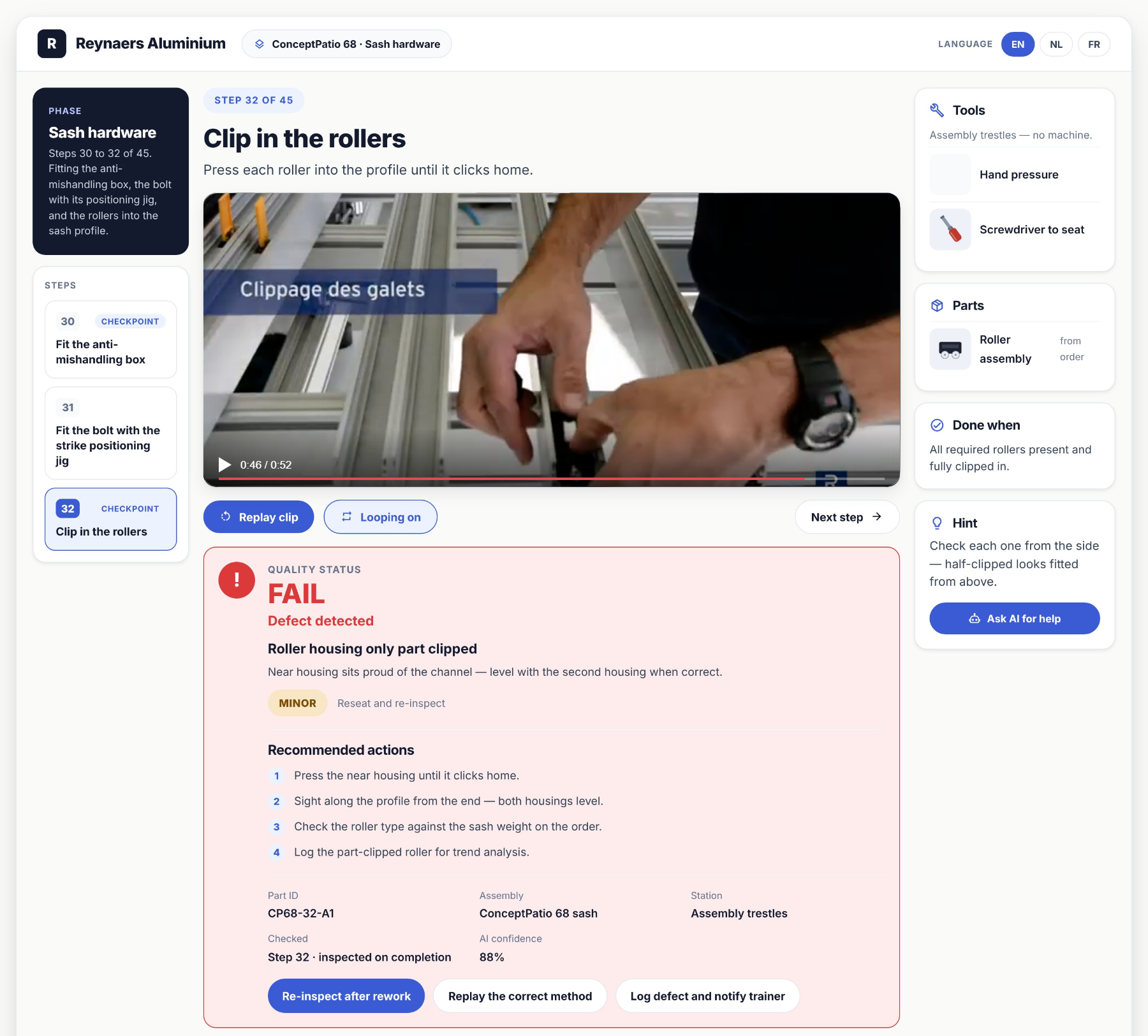
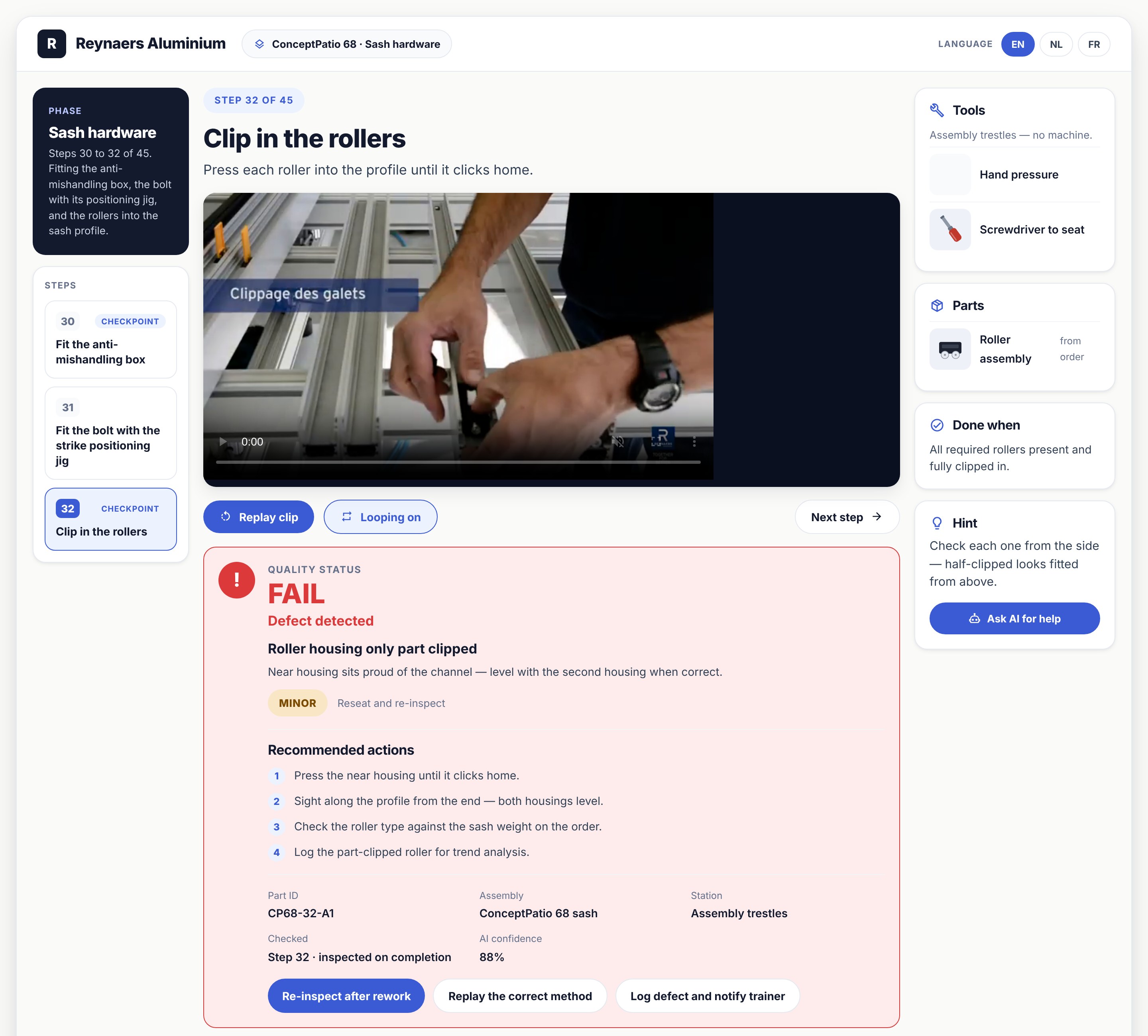
Operator screen: checkpoint 32 failed, defect detected, with recommended actions
FAIL · AI confidence 88%
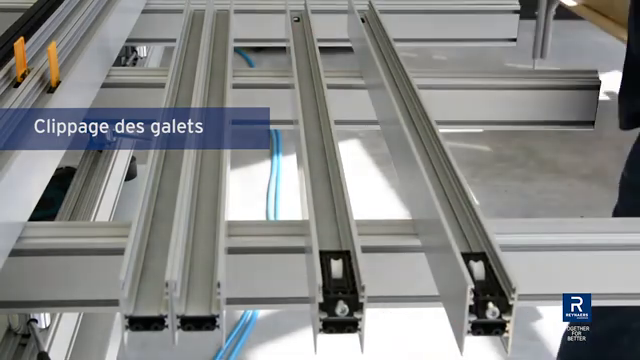
Camera frame at 12:52: roller housing only part clipped
DefectCamera frame · 12:52
One cycle:ObserveGuideVerifyCorrectLearnImprove
Your camera becomes an intelligent fabrication assistant

More than recording. Understanding what’s happening.

Traditional cameras record what happened. MasterWork AI analyzes defined fabrication operations as they happen, compares visible results against approved requirements, and helps workers correct problems before continuing.

Why it matters

Catch the mistake before it becomes a finished product.

An early error follows the job through every operation after it — more work, more material, more cost. MasterWork puts verification where it matters.

The point isn’t more paperwork. It’s stopping an avoidable mistake.
Caught at the stepFound at final inspection
1 · Guide

Guide the fabricator while the work happens.

The right guidance at the moment it matters.

A fabrication mistake often begins with something small.

A component placed incorrectlyA missed operationThe wrong orientationAn incomplete assemblyA step in the wrong sequence

MasterWork AI uses camera-based observation at configured stations to help recognize these situations and provide relevant guidance. It can be configured to:

  • Compare visible work with approved visual references.
  • Highlight components or areas requiring attention.
  • Identify possible missing or incorrectly positioned parts.
  • Remind workers about required checks.
  • Show relevant drawings, instructions or video demonstrations.
  • Ask the worker to correct or confirm an operation before continuing.

Instead of finding out later, get guidance now.
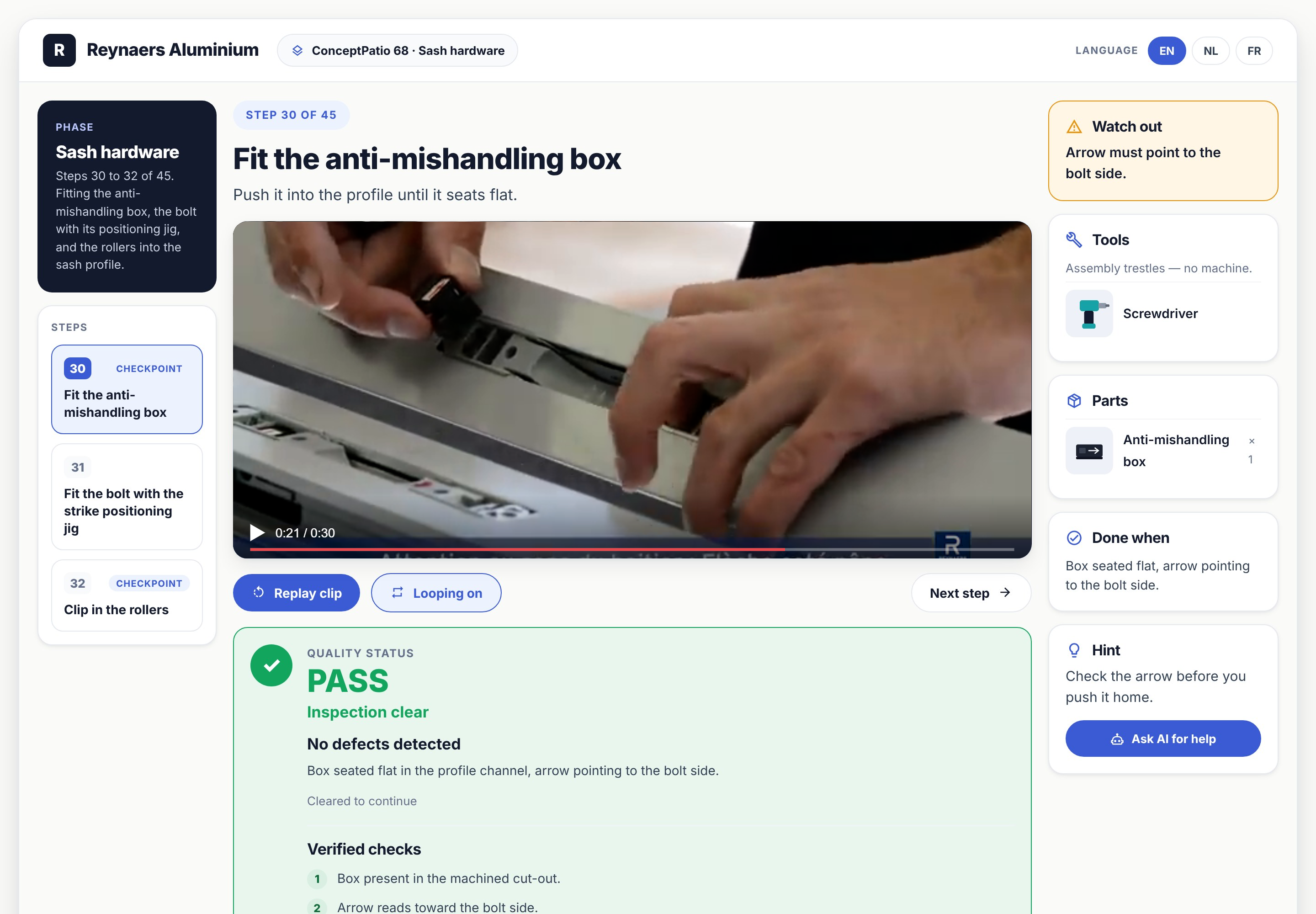
Station tablet guiding a fabricator
Operator screen: step 30 with clip, tools, parts and hint
2 · Quality

Make quality part of every operation.

Don’t wait until the finished product to discover the mistake.

At selected checkpoints, the camera analyzes the work against defined, approved requirements. It can check:

  • Component presence and placement
  • Visible assembly orientation
  • Completion of required operations
  • Recognizable assembly defects
  • Visual differences from approved reference conditions
  • Other application-specific quality criteria

For suitable, validated checks, the system can automatically clear a checkpoint when its acceptance criteria are met. When it detects a possible problem, or cannot decide confidently, it flags the operation for correction or human review.
Quality evidence
Frames captured at each checkpoint
Good frame, Step 30 · 12:30Good
Step 30 · 12:30
Good frame, Step 31 · 12:43Good
Step 31 · 12:43
Defect frame, Step 32 · 12:52Defect
Step 32 · 12:52
01Check.
02Confirm.
03Continue.
3 · Correct

Show the problem. Help correct it.

Quality feedback your fabricators can act on.

Simply identifying a failed inspection isn’t enough. The worker needs to understand what went wrong and what to do next. MasterWork AI connects detected issues with the approved fabrication process.
The objective is not merely finding mistakes. It’s helping the worker finish the operation correctly.
Operator screen showing quality status FAIL and recommended actions
What the operator sees when a checkpoint fails
When a checkpoint fails, the system can…
01
Identify the issue
Show the area or condition that requires attention.
02
Explain the requirement
Display the approved instruction, reference image or quality criterion.
03
Guide the correction
Present the corrective procedure or request supervisor help.
04
Verify again
Repeat the visual inspection or request more evidence.
05
Record the result
Capture the quality outcome in the job history.
4 · Improve

Every inspection helps reveal how production can improve.

Turn quality information into better fabrication.

One mistake can be an isolated event. The same mistake occurring repeatedly is a signal that something in the operation needs attention. MasterWork connects AI quality findings with production information, helping management see patterns that would otherwise be hard to spot.
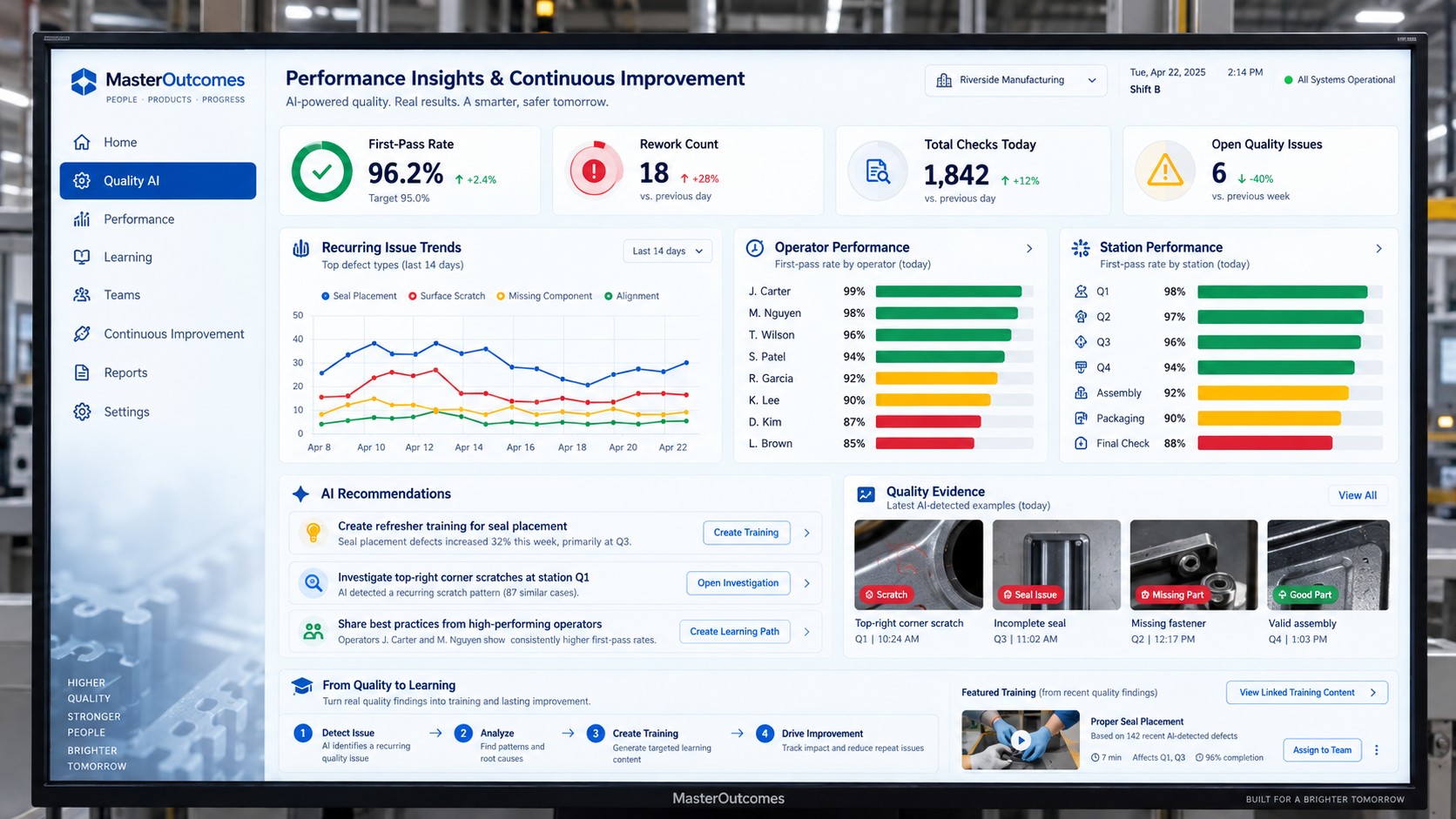
Performance insights dashboard
Performance insights · recurring issues, operator and station first-pass rates, AI recommendations
Recurring defects
Which operations repeatedly produce the same problem?
Difficult steps
Where do workers struggle or need repeated help?
Process bottlenecks
Where do failed checks and corrections slow production?
Training opportunities
Which operations need clearer explanations, better visuals or more training?
Quality trends
Are procedure changes reducing failures or creating new problems?
Improvement recommendations
Where should management change instructions, checks, training or workflow?

AI helps identify and explain patterns. Your production and quality teams decide which improvements to implement.

Not just smarter inspection.
Smarter fabrication over time.
5 · Close the loop

From a quality problem to a better process.

Close the loop between the station, quality, management and training. Imagine a sliding-door assembly that repeatedly fails the same checkpoint.
01
Identify
MasterWork AI spots the recurring issue.
02
See
Management sees where and how often it occurs.
03
Review
The quality team checks the evidence and finds the likely cause.
04
Update
The procedure gets clearer guidance or an added check.
05
Deliver
Workers receive the approved, updated process.
06
Measure
Future results show whether the change helped.
Instead of treating every mistake as a separate incident, MasterWork helps your team improve the system that produces the work.
6 · Your process

AI connected to your actual fabrication process.

Not a generic camera. Not a generic AI model.

Every fabrication operation is different. A sliding system has different quality requirements from a door or curtain-wall assembly, with different components, sequences, tolerances and inspection methods. MasterWork AI works with your actual production knowledge:

  • Approved fabrication procedures
  • System-specific requirements
  • Reference images and drawings
  • Critical operation checkpoints
  • Approved quality criteria
  • Job and product context
  • Inspection history
  • Corrective-action records
Approved process · ConceptPatio 68 sash hardware
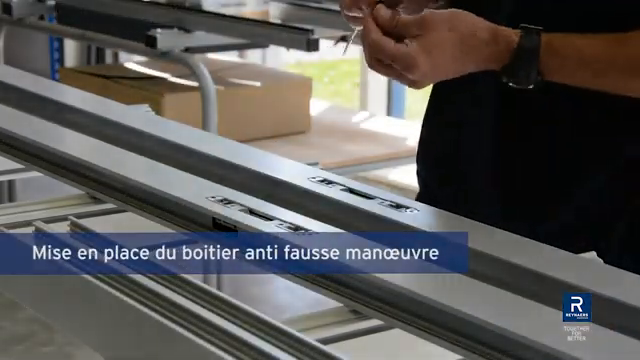
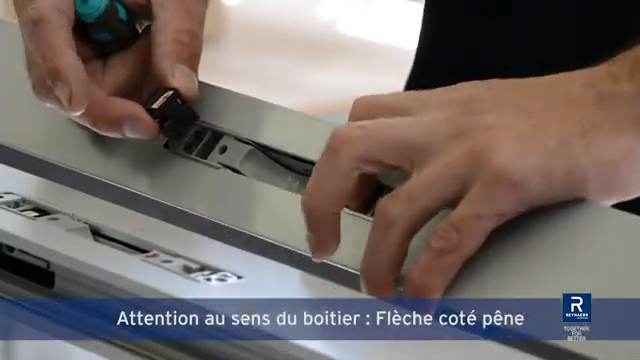
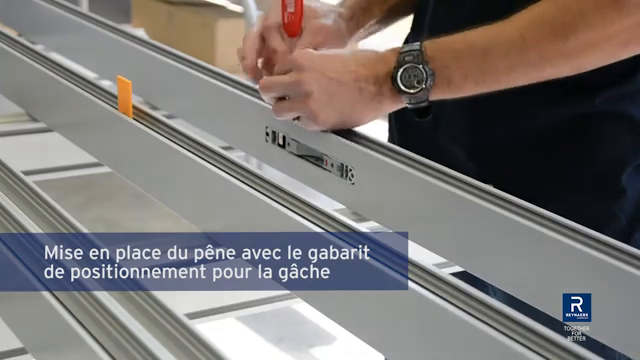
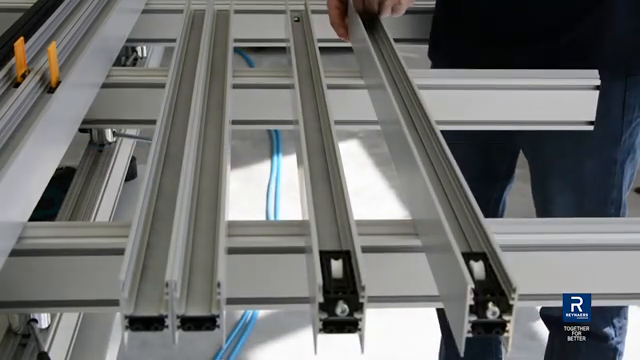
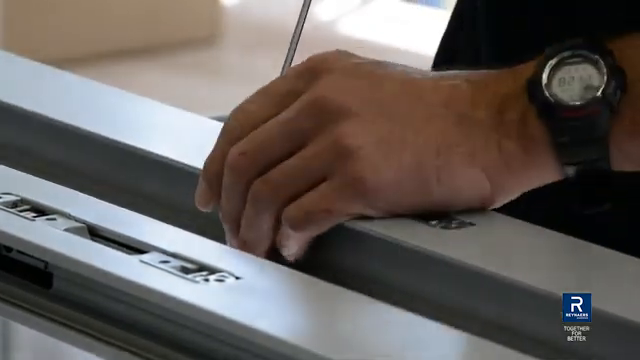
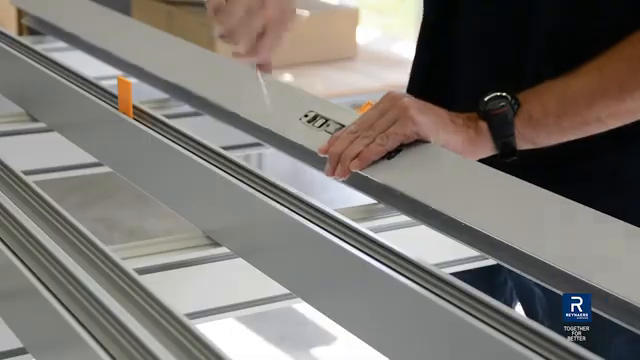
Source video, cut into the key frames the AI checks against
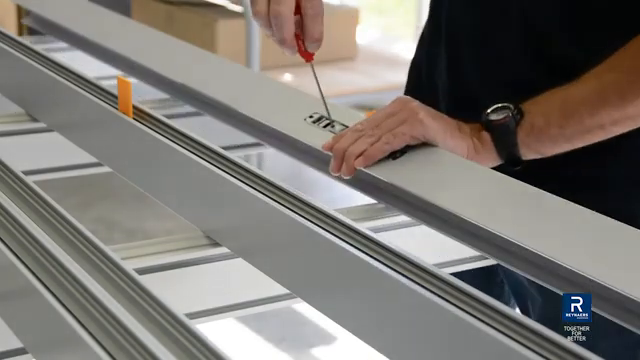
Step 30
Fit the anti-mishandling box
Step 30 Start frame at 12:11Start · 12:11
Step 30 Action frame at 12:21Action · 12:21
Step 30 End state frame at 12:30End state · 12:30
Step 31
Fit the bolt with the strike jig
Step 31 Start frame at 12:34Start · 12:34
Step 31 Action frame at 12:40Action · 12:40
Step 31 End state frame at 12:43End state · 12:43
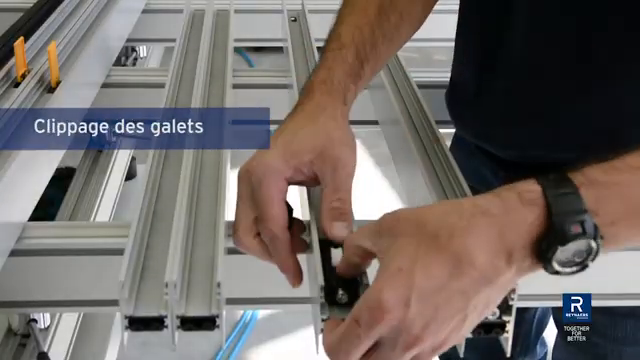
Step 32
Clip in the rollers
Step 32 Start frame at 12:46Start · 12:46
Step 32 Action frame at 12:48Action · 12:48
Step 32 End state frame at 12:52End state · 12:52
The camera
supplies observations.
The approved process
defines what is expected.
The AI
helps evaluate the difference.
Intelligence grounded in your fabrication requirements, not unrestricted AI guesswork.
7 · Trust

Quality decisions you can trust.

AI assists. Approved requirements remain the authority.

Not every manufacturing condition can be verified from a camera image. Some operations need calibrated measurements, specialized inspection equipment or human judgment. MasterWork AI is designed to respect those limits.

  • Visual checks are automated only where the method has been configured and validated for the specific application.
  • Critical or uncertain results can require supervisor or quality-team approval.
  • When the AI cannot establish a reliable answer, it requests further verification. It doesn’t guess.
Better automation. Human control where it matters.
Bring MasterWork AI into your factory

Built around your operation. Configured with your team.

MasterWork AI is an optional advanced capability. We work directly with fabrication companies to find the operations where camera-based guidance and quality verification add real value.

01
Select an operation
Choose a station or quality checkpoint where errors, rework or inspection effort matter.
02
Understand your requirements
Review the approved procedure, reference materials, acceptance criteria and current inspection method.
03
Configure the AI system
Agree camera placement, visual analysis, feedback, inspection logic and MasterWork connections.
04
Validate it on real work
Test with representative production conditions and known acceptable and unacceptable results.
05
Expand where it proves valuable
Add operations, checks, guidance and improvement analysis as appropriate.
No need to automate your entire factory from day one. Start where better guidance and quality control can make the biggest difference.
Get your first process free
MasterWork AI

Your factory already produces valuable information.

Every completed operation, quality check, correction and repeated defect can help your team understand and improve fabrication. MasterWork AI turns it into better results: guide the worker, verify the work, improve the process, deliver a better product.

Message received

We’ll be in touch within two business days.

Privacy settings